Showing posts with label guide. Show all posts
Showing posts with label guide. Show all posts
Friday, August 30, 2013
Apple iPhone 4s User Manual
Last month Apple has launched its newest product, the iPhone 4S. Before the product was launched, is actually a lot of rumors about this phone. There is a rumor that is true, but there are also rumors that do not exist on this phone. However, because this phone is out, so we can find out what features of the iPhone 4S.
Designs - As with most other smartphones, the iPhone 4S uses Candybar style with dimensions of 115.2 x 58.6 x 9.3 mm and weighs 140g. In addition, the phone also has a screen resolution of 640 x 960 pixels. The advantages of this phone is of bodynya. From some of the tests performed, the body of the iPhone 4S has a fairly strong resistance class. The phone is available in two colors, namely black and white.
OS - iPhone 4S once rumored to be using iOS 6, but thats not true. Since the iPhone 4S using iOS 5. However, iPhone 4S can be upgraded to the iPhone 6 if desired or necessary.
Processors - Apple uses processor 1 GHz dual-core ARM Cortex-A9 processor, PowerVR SGX543MP2 GPU, Apple A5 chipset. This processor will be the main pillar of this phone.
Camera - The camera is plugged in the phone has 8 MP quality camera and has a resolution of 3264 × 2448 pixels. The camera is also supported by several features, one of which is Full HD. In addition, the smartphone also comes with a secondary camera with VGA quality.
iCloud
You can store photos, documents and other files wirelessly and automatically. Calendar, E-Mail, contacts and other applications that you have purchased to keep updated, stored and you use on other Apple devices without requiring you to pay again.
AirPlay, Jump to HDTV Display and Speaker
All music, photos, and videos you can access wirelessly to your HDTV and speakers via Apple TV or AirPlay speakers featured through WiFi networks.
Retina Display
Is a high-resolution screen and high pixel density displays sharp images and color with high quality. Makes text and graphics look sharp and stunning images.
FaceTime
Allows you to hear the sound and see the other persons face. Designed to connect between your Apple devices via Wi-Fi. You can do it as easy as a phone call.
Designs - As with most other smartphones, the iPhone 4S uses Candybar style with dimensions of 115.2 x 58.6 x 9.3 mm and weighs 140g. In addition, the phone also has a screen resolution of 640 x 960 pixels. The advantages of this phone is of bodynya. From some of the tests performed, the body of the iPhone 4S has a fairly strong resistance class. The phone is available in two colors, namely black and white.
OS - iPhone 4S once rumored to be using iOS 6, but thats not true. Since the iPhone 4S using iOS 5. However, iPhone 4S can be upgraded to the iPhone 6 if desired or necessary.
Processors - Apple uses processor 1 GHz dual-core ARM Cortex-A9 processor, PowerVR SGX543MP2 GPU, Apple A5 chipset. This processor will be the main pillar of this phone.
Camera - The camera is plugged in the phone has 8 MP quality camera and has a resolution of 3264 × 2448 pixels. The camera is also supported by several features, one of which is Full HD. In addition, the smartphone also comes with a secondary camera with VGA quality.
 |
| Google Images |
You can store photos, documents and other files wirelessly and automatically. Calendar, E-Mail, contacts and other applications that you have purchased to keep updated, stored and you use on other Apple devices without requiring you to pay again.
AirPlay, Jump to HDTV Display and Speaker
All music, photos, and videos you can access wirelessly to your HDTV and speakers via Apple TV or AirPlay speakers featured through WiFi networks.
Retina Display
Is a high-resolution screen and high pixel density displays sharp images and color with high quality. Makes text and graphics look sharp and stunning images.
FaceTime
Allows you to hear the sound and see the other persons face. Designed to connect between your Apple devices via Wi-Fi. You can do it as easy as a phone call.
Here you are the User Guide PDF Manual Copy / for Apple iPhone 4s directly from Apple official website. Apple iPhone 4s user guide in English, Download from the Links below
[Download Apple iPhone 4s User Manual Guide].

Saturday, August 10, 2013
Alcatel One Touch Snap and LTE User Manual Guide Pdf
Alcatel One Touch Snap and LTE User Manual Guide Pdf - In performances Mobile World Congress (MWC) in 2013 has indeed been used as a platform to Nokia introduces two new products they are One Touch One Touch Snap Snap and LTE, as quoted on the tech site GSMArena, on Wednesday (27-2-13).
By using the kitchen runway quad-core processor and a 1.2 GHz CPU speed, both phones will also be equipped with 1 GB RAM. Alcatel One Touch Screen Snap has a size of 4.5-inch qHD resolution complete with a screen protector that has Dragontail Glass technology, the technology is able to withstand scratches that may occur if you use the nail on the use of the screen.
 |
| Google Images |
In terms of operating system, this phone will be running the latest OS ie Andorid 4.2 Jelly Bean and battery capacity of 1800 mAh. Alcatel One Touch Power Snap battery can last over a period of 7 hours for the need to call or use when you connect to 3G networks and 240 hours stand-by time power. Equipped with a 4 GB internal memory which can be expanded with an external memory slot for external memory is also provided so that the phone becomes larger capacity.
On the back side of the phone there is a main camera with a resolution of 8 MP complete with LED flash and 720p video record. Front camera is also provided at mobile Alcatel One Touch Snap it, the resolution is 1.3 MP and can also be used to record video with a resolution of 720p. Alcatel One Touch Snap has a size of 130.3 x 67 x 8.99 mm, but unfortunately weighs unknown because Samsung has not revealed the exact weight.
While the Alcatel One Touch Snap LTE version will be equipped with a wide screen that is wider than the Alcatel One Touch Snap non-LTE. Namely measuring 4.65-inches but the resolution is lower than Alcatel One Touch Snap non-LTE, which is just a FWVGA (480 x 854 pixels). But take it easy, the Alcatel One Touch Snap LTE technology is also equipped with the same protection as non LTE version.
Resolution main camera is 8 MP is the same but the LTE version is capable of recording video with full-HD resolution. Resolution 2 MP front camera. In terms of body dimensions thinner than the Alcatel One Touch Snap non-LTE, this phone has dimension of 134 x 69.6 x 10.9 mm and a capacity of 2200 mAh battery battery.
Another limitation on the Alcatel One Touch Snap LTE is still using the operating system Android 4.1 Jelly Bean is not using the latest version 4.2.1. Besides different from both versions of LTE processors already use dual-core Snapdragon processor and a 1.4 GHz CPU speed. Connectivity Power will use the standard smartphone is a Wi-Fi 802. 11 b / g / n, Bluetooth 4 and quadband GSM (850/900/1800/1900). Estimated Alcatel One Touch Snap and Snap LTE Alcatel One Touch will present the global market in April and July.
Sorry, Alcatel One Touch Snap User Manual Guide Pdf is Not Available Yet Now
Sorry, Alcatel One Touch Snap LTE User Manual Guide Pdf is Not Available Yet Now
Friday, August 9, 2013
Nokia Lumia 620 Manual Guide Pdf
Nokia Lumia 620 Manual Guide Pdf
Design :
Nokia Lumia 620 re-launched smartphone Windows Phone 8, now to fill the center category phase, the Lumia 620. the planning is as continually carrying a full bar, however not unibody, the article back cowl will be removed to get rid of the battery and place MicroSIM card. Compared to alternative series Lumia, Lumia 620 show, faraway from being giant, dimensions 115.4 x 61.1 x 1 millimetre and weighs 127 grams. the scale ar fairly applied science body carries a right away influence on the dimensions of the screen.
Nokia Lumia 620 Manual Guide Pdf
 |
Nokia Lumia 620 |
Nokia Lumia 620 Screen size is 3.8 inches with a resolution of 480x800 pixels. TFT electrical phenomenon screen technology brings a depth of 16 million colours. Visual screen is fairly slick and sleek due to accomplish 246 ppi picture element density. Add contemporary once more, layat is additionally equipped with multitouch technology diplay black clear that contribute to the visual screen within the out of doors space.
In general, the position of instruments isnt abundant completely different from alternative Lumia series, simply higher than the screen ar the electro-acoustic transducer and a secondary lens. whereas the touchpad below the screen fastened to 3 for the operate back, home and search tool bar. The position of the 3.5 millimetre audio jack at the highest, otherwise very cheap theres a microUSB port for charging and knowledge transfer functions.
Looking at the left facet of the body, theres a camera road button and {also the} on / off button that also is a tool to lock the screen. Instead on the correct facet is left blank. At the rear (back cover) ar the most lens that includes a flash lightweight. the fabric on the rear cowl is created of a cloth like matte end, creating users quite steady once holding the Lumia 620.
Note :
MicroSIM placed behind the battery with a hook just like the iPhone platform.
Features :
Walking within the platform of Microsoft Windows Phone 8 OS brings a contemporary import within the interface. From a number of the options of this smartphone ar seeded like the most camera that depends on a resolution of 5 MP and VGA secondary camera (front). Presenting a unique sensation from automaton camera, the menu offered embody white balance, contrast, effect, auto focus, night shot, flash, and writing. For the role of the video is additionally qualified with the power of HD (high definition) 720p at thirty Federal Protective Service. within the video menu additionally options white balance, contrast, and editor.
As the offspring directly from Microsoft, Lumia 620 has the advantage on the component workplace applications. And so its been equipped smarrtphone Microsoft workplace Mobile. within the default application, youll be able to open, create, and edit documents during a style of extensions of Word, Excel, and outlet. Not eager to be outdone by the automaton camp marketer, Nokia is additionally providing cloud storage facility, that is free 7GB on SkyDrive.
Nokia Lumia 720
Nokia X2-02
Nokia Asha 305 Dual Sim
Nokia Lumia 510
Nokia Lumia 820
to support the diversion, the music player menu equipped with automatic equalizer, shuffle, loop, playlists, and music library. additionally theres the XBOX Music, however its still not supported for content purchases.
Moving into the component property, 2G and 3G association path ar all accessible. In theory HSDPA (high speed downlink packet access) will reach speeds of 21 Mbps and HSUPA (high speed transmission packet access) reached 5.76 Mbps. normal wireless fidelity is additionally employing a version of a / b / g / n with twin band, this permits this smartphone to run services like seamless wireless fidelity is being offered by several operators.
As a contender automaton domination, Lumia brings contemporary applications to get pleasure from, like the Nokia town Lens increased reality technology within the type within which the camera will show multiple points of interest directly. additionally theres Nokia Maps and Nokia Drive for straightforward navigation drive. For those that like bersosial media (sosmed), Nokia equip applications named folks, the hub which will integrate sosmed, email, and chat.
Microsoft established scheme of applications continues to grow, up to now there ar a hundred thirty,000 apps within the Windows Phone Store. For Republic of Indonesia, serviceable by new asking operator XL, for non XL have created use of the mastercard.
Note :
Unfortunately Nokia Lumia 620 doesnt feature FM radio.
Performance :
Of the value offered tag, namely Rp2.850.000, the power Lumia 620 bestowed comfortable. It will be seen from the existence of a twin core processor 1GHz Qualcomm flower chipset Hooks with S4. To support quality visual show equipped with GPU (graphics process unit) Adreno 305. Sensors ar accessible additionally complete, consists of Associate in Nursing measuring system, proximity, and compass. For sleek net browsing, the browser was already victimisation HTML5 standards. From the take a look at results, the performance of this smartphone is kind of satisfactory, particularly within the visual screen.
Nokia Lumia 620 is steam-powered by Li particle battery with a capability of 1300 mAh. The standby time will be achieved is 330 hours, whereas for speak time in 2G mode reaches 14 hours, and once victimisation 3G mode to around 9 hours.
Nokia Lumia 620 Manual Guide Pdf : Download Pdf
Thursday, August 8, 2013
Sony Xperia T Manual User Guide
Sony Xperia T Manual User Guide Download Pdf Here you are the User Guide PDF Manual for BLU Sony Xperia T directly from Sony Product official website. Sony Xperia T user guide in English, Download from the Links below. Sony Xperia T is a leading smart phone with super specs. Dual core Android phone is armed circuitry 13MP camera and a myriad of other munitions.
Xperia T has a 4.6-inch screen size with the technology of High Definition (HD) Reality Display resolution of 1280 x 720 pixels. The screen is also powered by Mobile Bravia Engine, the technology used by Bravia flat-panel televisions made by Sony.
Sony claims, Xperia T gives a real experience when watching 1080p HD video quality.
Xperia T reinforced with a dual core 1.5 GHz Qualcomm Krait, 16GB of internal memory, battery 1.850mAh, and running the operating system Android 4.0 (Ice Cream Sandwich).
Bersensor 13MP camera that can record HD video in 1080p resolution. When the smartphone in a locked position, the camera can be activated in a short time. Sony calls this technology Sleep to Snap.
Xperia T supports NFC technology (Near Field Technology). With the technology, payment activities, access to information, to listen to music, can be done simply by attaching Xperia T with other devices that also support NFC.
ReadMore....
Xperia T has a 4.6-inch screen size with the technology of High Definition (HD) Reality Display resolution of 1280 x 720 pixels. The screen is also powered by Mobile Bravia Engine, the technology used by Bravia flat-panel televisions made by Sony.
Sony claims, Xperia T gives a real experience when watching 1080p HD video quality.
 |
| Google Image |
Bersensor 13MP camera that can record HD video in 1080p resolution. When the smartphone in a locked position, the camera can be activated in a short time. Sony calls this technology Sleep to Snap.
Xperia T supports NFC technology (Near Field Technology). With the technology, payment activities, access to information, to listen to music, can be done simply by attaching Xperia T with other devices that also support NFC.
>> Download Sony Xperia T Manual User Guide
Wednesday, August 7, 2013
Samsung Galaxy S Advance Manual GT I9070
 Samsung Galaxy S Advance Manual - The Samsung Galaxy S Advance manual or user guide currently out there for transfer in PDF format. The Samsung Galaxy S Advance manual is guide ebook that contain several reference info and instruction to control this phone properly and safely. The Samsung Galaxy S Advance GT-I9070 user guide has 165, 5.81 MB and support in English. within the Samsung Galaxy S Advance user manual, youll notice info as an example concerning putting in the SIM or USIM card and battery, the way to insert a memory card on page 16, learn phone basic operations, phone half summary, exploitation the touchscreen, lock or unlock the bit screen, customise phone, synchronise knowledge, exploitation google mail, talk, social hub, exploitation camera on page fifty eight, videos on page sixty eight, gallery and pic editor on page seventy two, listening music and FM radio.
Further, within the Samsung Galaxy S Advance owner manual conjointly provides detail info like task, memo, voice recorder, maps, latitude, youtube, samsung apps, market, exploitation bluetooth and wi-fi, allshare, GPS, VPN and laptop connections. different info like exploitation tools like clock, google search, kies air, mini diary, Polaris workplace, SIM toolkit, task manager, phone settings guide like decision settings, sound and show, power saving, location and security, privacy and storege, date and time, troubleshooting and a lot of. For table of content as follows:
Table of content for the Samsung Galaxy S Advance GT-I9070 manual / user guide:
- Assembling
- Getting started
- Communication
- Entertainment
- Personal information
- Web
- Connectivity
- Tools
- Settings
- Troubleshooting
- safety Precautions
- Index
Get and download the Samsung Galaxy S Advance manual / user guide here
Wednesday, July 31, 2013
LG Nexus 4 Manual User Guide Specification and Price
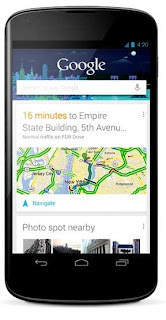
LG Nexus 4 Manual User Guide - This LG Nexus four manual / user guide is revealed by LG at its official website. This LG Nexus four manual / user guide is obtainable in English. for brand spanking new owner of LG Nexus four smartphone, youll would like this user guide to boost your experiences whereas victimization this device. This LG Nexus four user manual comes in PDF file format with two.99 MB in size (235 pages). improvements and changes to this LG Nexus four user manual necessitated by typographical errors, inaccuracies of current info, or improvements to programs and/or equipment, may be made by LG at any time and all of sudden. the data collected in this process is not associated with a particular identity. we have a tendency to use it to judge however visitors use our website and to boost the LG Nexus four usability, performance, and problems finding.
 |
| Google Images |
Taken from LG website and also from several sources, LG Nexus 4 comes with these specification :
General
- Device name: LG Nexus 4
- Type: Smartphone
- Release: 2012, November
- Price: $299
Body
- Dimension: 5.27 x 2.70 x 0.36 in
- Weight: 4.90 oz
- Color: Black
Technology
- Network: HSPA+ 42, 3G (850, 900, 1700, 1900, 2100 MHz)
- Operating System: Android 4.2 (Jelly Bean)
- Processor: Quad-core 1.5 GHz Krait
- Chipset: Qualcomm Snapdragon™ S4 Pro CPU
- GPU: Adreno 320
- RAM: 2 GB
Display
- Type: WXGA IPS
- Size: 4.7″ diagonal, 1280 x 768 pixel resolution (320 ppi)
- Multitouch: Yes
- Protection: Corning® Gorilla® Glass 2
Storage
- Internal storage: 8GB or 16GB (actual formatted capacity will be less)
- Card slot: No
Camera
- Rear facing camera: 8 MP
- Video: 1080p@30fps
- Front facing camera: 1.3 MP
- Camera features: autofocus, LED flash, touch focus, geo-tagging, face detection, photo sphere
Connectivity
- Data speed: DC-HSDPA, 42 Mbps; HSDPA, 21 Mbps; HSUPA, 5.76 Mbps
- WLAN: Wi-Fi 802.11 a/b/g/n, dual-band, DLNA, Wi-Fi hotspot
- Bluetooth: v4.0 with A2DP
- Location: GPS with A-GPS support and GLONASS
- USB: microUSB (SlimPort) v2.0
- Headphone jack: 3.5mm
Battery
- Type: Li-Po
- Capacity: 2100mAh
- Talktime: Up to 15 h
- Stand-by time: Up to 390 h
Table of Contents (LG Nexus 4 User Manual) :
- Get started
- Explore your phone
- Use the Phone app
- Use the keyboard
- Try some apps
- Use Google Now & Search
- Accessibility
- Wireless & network settings
- Device settings
- Security settings
- Personal, account & system settings
- Appendix: Hardware reference
For more complete information about operating instruction the LG Nexus 4, download the user manual below. The LG Nexus 4 manual can be found for free at LG official website. It is provided in PDF file. We are NOT affiliated with LG. Read our disclaimer to know more.
Download Free LG Nexus 4 user manual (PDF file; 2.99 MB)
General
- Device name: LG Nexus 4
- Type: Smartphone
- Release: 2012, November
- Price: $299
Body
- Dimension: 5.27 x 2.70 x 0.36 in
- Weight: 4.90 oz
- Color: Black
Technology
- Network: HSPA+ 42, 3G (850, 900, 1700, 1900, 2100 MHz)
- Operating System: Android 4.2 (Jelly Bean)
- Processor: Quad-core 1.5 GHz Krait
- Chipset: Qualcomm Snapdragon™ S4 Pro CPU
- GPU: Adreno 320
- RAM: 2 GB
Display
- Type: WXGA IPS
- Size: 4.7″ diagonal, 1280 x 768 pixel resolution (320 ppi)
- Multitouch: Yes
- Protection: Corning® Gorilla® Glass 2
Storage
- Internal storage: 8GB or 16GB (actual formatted capacity will be less)
- Card slot: No
Camera
- Rear facing camera: 8 MP
- Video: 1080p@30fps
- Front facing camera: 1.3 MP
- Camera features: autofocus, LED flash, touch focus, geo-tagging, face detection, photo sphere
Connectivity
- Data speed: DC-HSDPA, 42 Mbps; HSDPA, 21 Mbps; HSUPA, 5.76 Mbps
- WLAN: Wi-Fi 802.11 a/b/g/n, dual-band, DLNA, Wi-Fi hotspot
- Bluetooth: v4.0 with A2DP
- Location: GPS with A-GPS support and GLONASS
- USB: microUSB (SlimPort) v2.0
- Headphone jack: 3.5mm
Battery
- Type: Li-Po
- Capacity: 2100mAh
- Talktime: Up to 15 h
- Stand-by time: Up to 390 h
Table of Contents (LG Nexus 4 User Manual) :
- Get started
- Explore your phone
- Use the Phone app
- Use the keyboard
- Try some apps
- Use Google Now & Search
- Accessibility
- Wireless & network settings
- Device settings
- Security settings
- Personal, account & system settings
- Appendix: Hardware reference
For more complete information about operating instruction the LG Nexus 4, download the user manual below. The LG Nexus 4 manual can be found for free at LG official website. It is provided in PDF file. We are NOT affiliated with LG. Read our disclaimer to know more.
Download Free LG Nexus 4 user manual (PDF file; 2.99 MB)
Saturday, June 8, 2013
Samsung Galaxy Tab 2 7 0 Wi Fi 8GB User Manual Guide
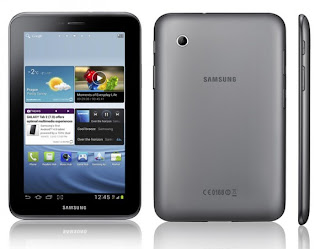
Samsung Galaxy Tab 2 7.0 User Manual Guide After the successful launch of the Samsung Galaxy Tab first, now the new tablet Samsung Galaxy Tab 2 has been circulating in the Indonesian market. If before carrying Android Honeycomb, Galaxy Tab 2 now comes with the latest Android 4.0 version called Ice Cream Sandwich.
There are 2 choices of size Samsung Galaxy Tab 2, with a screen 7.0-inch and 10.1-inch. Although different screen sizes but to hardware issues such as processor, memory, and other major components have almost the same spec. As for using a dual-core processor with a speed of 1GHz, 1GB of RAM and a choice of storage capacity.
There are 2 choices of size Samsung Galaxy Tab 2, with a screen 7.0-inch and 10.1-inch. Although different screen sizes but to hardware issues such as processor, memory, and other major components have almost the same spec. As for using a dual-core processor with a speed of 1GHz, 1GB of RAM and a choice of storage capacity.
 |
| Google images |
In the Americans are there, the price of Samsung Galaxy Tab 7 starting at $ 249.99 (approx. 2.3 jtan) for the Wi-Fi version with 8GB capacity. For version 10.1 inch Wi-Fi with 16GB of memory for sale starting from $ 399.99.
Here you are the User Guide PDF Manual Copy/for Samsung Galaxy Tab 2 7.0 directly from Samsung official website. Samsung Galaxy Tab 2 7.0 user guide in English, Download from the Links below
[Download Samsung Galaxy Tab 2 7.0 User Manual Guide or Quick Guide Here]
Monday, May 13, 2013
Samsung NX1000 Mirrorless User Manual Guide
Samsung NX1000 Mirrorless Interchangeable Lens Digital Camera Users Manual (Owners Instruction) - The 10 Smart Filters and added Selective Color function, for example, mean that users can adjust the look and feel of shots as they take them. In addition, NX1000 feature Panorama and 3D Panorama, allowing the whole story to be told in one complete picture. With the Smart Panel, settings and features can be easily accessed and applied, making creative photography easier than ever. You can Free Download Samsung NX1000 Operating Instruction Guide / Owners Manual / Users Manual (PDF format) below.
 |
| Google Images |
NX1000 is built-in Wi-Fi connectivity can connect either via a wireless Internet router or directly to another device. This allows users to email images and share them on Facebook straight from the camera, via an internet hotspot. Alternatively, it allows photographers to browse images from their camera directly on a Wi-Fi-equipped AllShare or DLNA enabled television, or via an Android smartphone using Samsungs MobileLink app. At our meeting in Seoul we asked the assembled executives for their vision of what the company is calling its Smart Camera Ecosystem. The NX1000 equipped wit a Smart Link Hot Key for quick data transfer to a tablet or smartphone.
NX1000 provide 1080p Full HD stereo movie recording and the mirrorless CMOS image sensor offers precise auto focus even while you shoot.
NX1000 cameras ultra-high speed Auto Focus that can rival almost any system camera and is core component of the system. The result is a fast and precise AF System that captures lifes fleeting moments. And with a sequential rate of 8fps, capturing fast-moving objects in perfect clarity are no longer a challenge.
Key Features of Samsung NX1000 Mirrorless Interchangeable Lens Digital Camera:
- 20.3 megapixel APS-C CMOS sensor
- 3-inch 921k dots LCD display
- 1920 x 1080 / 30p full HD movie with stereo
- Optical Image Stabilization
- Smart Auto 2.0
- Smart Link Hot Key
- Built-in Wi-Fi
- Dual-axis level gauge
Friday, May 3, 2013
Vertu Ti Manual User Guide PDF
Vertu Ti Manual User Guide Download Pdf Here you are the User Guide PDF Manual Copy / for BLU Vertu Ti directly from Vertu Product official website. Vertu Ti user guide in English, Download from the Links below something special from Vertu Ti. And it was quite met the expectations of its body design is captivating.
Made of aluminum and titanium materials are claimed to be very strong, it does look luxurious Vertu Ti, different from smartphones in general. Penentengnya guaranteed to look like the rich.
The screen is made of high quality sapphire. Each unit Vertu Ti is done by hand in the factory Vertu in England.
 |
| Google Images |
With a casing made of premium materials, Vertu Ti is generally heavier than the Android smartphone. But still portable hand carry.
Each Vertu unit equipped with special buttons to pamper users. Simply by pressing a button, the user will be connected with 24-hour service to help if there are problems with his handset.
"Vertu has been a pioneer and industry leader of luxury phones since the late 1990 1nadan seen in our in-depth knowledge of Vertu Ti. Semewah No handset is," claims Vertu President Perry Oosting.
Vertu formerly part of Nokia. But last year the company was sold to EQT.
His appearance is luxurious and exorbitant price. However looking at the specs, theres nothing really special about this phone.
1.7 GHz dual core processor, 1GB RAM, 64GB internal memory, 8-megapixel camera capable of recording full HD video and 1.2 megapixel front camera. The battery is only 1250mAh.
It is usually, high-priced luxury phone is not concerned about the specification. More to the appearance and the materials for the class.
Specifications Vertu Ti is actually quite good in this segment of the middle class Android phone. But clearly less than the upper-class Android, such as HTC One X or Samsung Galaxy S III.
The Android operating system means the operation of the Vertu Ti. But still Android version Ice Cream Sandwich, Jelly Bean that is not the latest version of the OS green robot.
Not much customization is done Vertu. Users also can operate the handset with other Android phones like the look and applications already familiar.
Perry Oosting, president Vertu deliberately chose Android compared to other OS, such as Windows Phone. Considering Android is currently the most popular OS in the world.
"Operating system Android ecosystem delivering intuitive for the user, and the design and manufacture of unique Vertu handset," said Oosting.
Download Here Vertu Ti Manual User Guide Or You can Download Here
Friday, April 12, 2013
Samsung Galaxy S IV User Manual Guide Pdf
Samsung Galaxy S IV User Manual Guide Pdf - In the document it is said that this phone will be priced at 699 Euros. If the amount dirupiahkan, then to about 8.8 million rupiah. Meanwhile, Amazon DE has started pre-order service for Galaxy S IV. Here, they membanderol phone would cost 649 euros.
 |
| Google Images |
Samsung has just introduced its newest mobile phone, the Galaxy S IV. And the mobile phone is the successor of the Galaxy S III is also offering the sophisticated specifications and more features. However, many are asking, how much Samsung will membanderol this phone?
For the answer to that one, the Samsung did not mention the exact about the price of the mobile phone. However, at least we can be a bit to figure out the price Galaxy S IV based on leaked documents obtained by Android Caotic Italian-language site.
Sorry, Samsung Galaxy S IV User Manual Guide Pdf Is Not Available Yet Now
Thursday, April 11, 2013
HTC DESIRE C MANUAL Download HTC Desire C User Guide
This is latest news about the HTC Desire C manual or user guide. Previously in this blog (manual centre) has been discussed about the HTC Desire C Specifications and price. Now The HTC Desire C manual available for download directly at orange.co.uk. The HTC Desire C user guide comes in PDF format with file size is 5.86 MB, 159 pages and support in english language. In the HTC Desire C user manual you can find many reference information and instuction such as about restarting and resetting phone on page 152 and 153, phone settings guide like Backing up settings to Google, protecting phone, conencting settings like using bluetooth and wi-fi, Using HTC Desire C as a wireless router, Installing HTC Sync Manager, using Google Play and Google Maps. Further in the HTC Desire C Owner manual also provides detail information such as about About SkyDrive for HTC Sense, usign Gmail, Facebook for HTC Sense, Using Google+, tutorial Backing up your contacts to the storage card, using camera, recording videos, Backing up your contacts to the storage card, Browsing the Web, messaging settings, Updating the HTC Desire C software, Unlocking the screen, learn phone basics operations, phone part overview with explained menu and key functions, and many more. More detail about table of content for the HTC Desire C manual / user guide read below:
Table of Content for the HTC Desire C manual user guide:
Get and download the the HTC Desire C manual or user guide here.
ReadMore....
 |
| HTC DESIRE C MANUAL COVER |
Table of Content for the HTC Desire C manual user guide:
| Unboxing Your first week with your new phone Personalizing Making HTC Desire C truly yours Personalizing HTC Desire C with scenes Phone calls Making a call with Smart dial Messages Search and Web browser Searching HTC Desire C and the Web Camera basics Photos, videos, and music Accounts and sync Adding your social networks, email accounts, and more People | Social Calendar Online storage and services Travel and maps Location settings Using the Clock Google Play and other apps Your phone and computer Where apps, data, and files are stored Connecting HTC Desire C to a computer Internet connections Bluetooth and NFC Settings and security Other essentials Trademarks and copyrights Index |
Get and download the the HTC Desire C manual or user guide here.
ReadMore....
Leica M E Type 220 Manual User Guide
The Leica M-E cameras most distinctive feature is a minimalistic, purist, design statement. The top deck and base plate are discreetly finished in unobtrusive anthracite grey. The design of its body expresses clarity, and its leather trim offers superior grip. The application of a new leather trim with enhanced grip characteristics ideally complements the cameras timeless design. You can Free Download Leica M-E (Type 220) Operating Instruction Guide / Owners Manual / Users Manual (PDF format) below.
.jpg "Leica M-E (Type 220)") |
| Google Images |
Concentration on the essentials is part of the M-System philosophy. This also applies to the Leica M-E: it consciously declines to offer everything that is technically possible, but rather limits itself to what is essential to photography. These essentials include the M-typical rapid manual focusing with the viewfinder/rangefinder and the focusing ring of the lens, but also the option of selecting automatically determined or manually set shutter speeds.
Key Features of Leica M-E (Type 220) Rangefinder Digital Camera:
- 18 Megapixels Full-Frame 35mm CCD Sensor
- Omitted Low-pass Filter for Fine Detail
- 2.5" 230k-dots TFT LCD
- Classic M-System Rangefinder Design
- M Mount Compatible
- Intuitive Controls
- Quiet, Metal Blade Shutter
- ISO up to 2500
- Leica M-E (Type 220) Operating Instruction Manual - English
- Leica M-E (Type 220) German Operating Instruction Manual - Deutsch
- Leica M-E (Type 220) French Operating Instruction Manual - Français
- Leica M-E (Type 220) Spanish Operating Instruction Manual - Español
- Leica M-E (Type 220) Italian Operating Instruction Manual - Italiano
- Leica M-E (Type 220) Dutch Operating Instruction Manual - Nederlands
- Leica M-E (Type 220) Russian Operating Instruction Manual - Русский
- Leica M-E (Type 220) Japanese Operating Instruction Manual - 日本語
- Leica M-E (Type 220) Korean Operating Instruction Manual - 한국어
Tuesday, April 9, 2013
Sony Ericsson Xperia Ray Manual Guide Pdf
 |
| source image : www.google.com |
Specification :
Design
Design
From the front of the Xperia Ray looks square, and combined with black all over his body, create the impression of masculine. But the material that covers the glossy front side and her body is sleek and slim exudes an elegant impression. Moreover, the weight of the smartphone made by Sony Ericsson is fairly light, making it convenient to carry. To the side and rear plastic abrasive.
Xperia Ray adopted universal ports and slots. There is a Micro USB port on the left side of the dual function, which is to plug in a data cable and charger battery. Do not miss a hole 3.5 mm audio jack for a headset. External memory slot MicroSD adopted manifold. It is behind the rear casing and battery is not affected, but still blocked the battery, so do not hotswap.
The touch screen is capacitive in smartphone dimensions 3.3 inches LED-backlit LCD technology. In it injected power of 16 million colors with a resolution of 480 x 854 pixels. Same with other Sony Ericsson smartphones, the display here is also supported Bravia Mobile engine which gives the effect of increasingly sharp display. Also been embedded accelerometer and scratch resistant coated materials.
Note
5 homescreen can be rubbed into the right / left and can be loaded widget or shortcut menu.
Features
Xperia Ray brought 2 cameras, a VGA camera on the front body and rear body defenseless 8 megapixels. The camera has facilities such as Autofocus, Smile Detection, Scene recognition, Timer, Flash light, Digital Zoom, Geotagging and Image Stabilizer. When recording video, the camera is able to produce HD video (720p). Uniquely for download shot just touch on the viewfinder screen in any area.
Embedded WiFi, in addition to internet access was also used to share multimedia files (images, video, music, games etc.). Through the Connected Device features, this smartphone can be used as a server, so other devices (TV, Playstation, etc.) that are connected to a WiFi network to access a variety of multimedia files can be stored here. The requirement must be connected to a WiFi network that is called with DLNA sama.Teknologi.
In addition to the standard features of Android, also provided additional features. Like Adobe Reader to read PDF files. In addition there NeoReader barcode scanning function. There is also a News & Weather that presents news info and weather updates. To navigate the road, set up Google Maps and Wisepilot. There is a Facebook application that is accompanied by features of Friends Music & Video, which can display video and music is being enjoyed by your Facebook friends. There are features of Data Monitor to determine the amount of data that have been done with internet access.
Note
OfficeSuite there can only open Office files (word, excel, powerpoint), without being able to create and edit (not full version).
Performance
Android 2.3 (Gingerbread) adopted the Sony Ericsson Xperia Ray, maximized his work with the help of 1 GHz Scorpion processor, Adreno 205 GPU, MSM8255 Snapdragon chipset. As a result, various features can be run well. For internet, Xperia Ray supports up to HSDPA speeds (7.2 Mbps) / HSUPA (5.8 Mbps). Also embedded WiFi access. Xperia Ray can even be used as a WiFi hotspot, which divides Internet access cellular networks.
Battery type Lithium Ion battery capacity of 1,500 mAh, the backbone of this Ray tahanXperia power. If it is used quite frequently, the battery that was in a state of full, will be drained for about 8-9 hours. But if it is just to play a song, it can last for 36 hours.
User Manual Guide Pdf : Click Here
Monday, April 8, 2013
Apple iPad Mini User Manual Guide
iPad Mini Manual User Guide Pdf - iPad 4 for iOS 6 Software - Apple iPad 4, iPad mini User Guide PDF - Here you are the User Guide PDF Manual for iPad 4 for iOS 6 Software iPad Mini directly from apple official website. iPad Mini user guide in English, Download from the Links below.
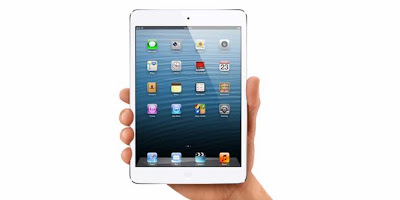
Apple iPad Mini comes in two variants, the WiFi only and WiFi and 4G LTE plus a variety of options available for data storage media. The option is in the form of 16GB, 32GB, and 64GB. Media is very satisfying for users because more freedom in doing a large file storage though.
For Apple iPad batteries mini apply what they call a "single-cell battery is the largest and thinnest ever designed by Apple". These batteries can last 10 hours old at the time an operator of HP Apple did.
iPad Mini has now been officially introduced to the public the lovers of a tablet computer. This is almost like a mini iPad ipad 2 only in terms of body design is much more petite and thin. Latest products at Apple was first introduced in introduced in California, USA.
Vendor giant Apple is relentlessly doing a new breakthrough in the world of telecommunications, this time they introduce a new product that is much lighter in comparison with the new iPad and the claim thinner than a pencil.
With the Arm an A5 dual-core processor and a screen resolution of 1024 x 768 makes the iPad mini be optimized in performance will run each program. Both of these specifications are indeed initially be implemented in the iPad 2 but now with the screen as it makes the optimal running tapilan screen.
Apple iPad Mini comes in two variants, the WiFi only and WiFi and 4G LTE plus a variety of options available for data storage media. The option is in the form of 16GB, 32GB, and 64GB. Media is very satisfying for users because more freedom in doing a large file storage though.
For Apple iPad batteries mini apply what they call a "single-cell battery is the largest and thinnest ever designed by Apple". These batteries can last 10 hours old at the time an operator of HP Apple did.
 |
| Google Images |
iPad Mini has now been officially introduced to the public the lovers of a tablet computer. This is almost like a mini iPad ipad 2 only in terms of body design is much more petite and thin. Latest products at Apple was first introduced in introduced in California, USA.
Vendor giant Apple is relentlessly doing a new breakthrough in the world of telecommunications, this time they introduce a new product that is much lighter in comparison with the new iPad and the claim thinner than a pencil.
With the Arm an A5 dual-core processor and a screen resolution of 1024 x 768 makes the iPad mini be optimized in performance will run each program. Both of these specifications are indeed initially be implemented in the iPad 2 but now with the screen as it makes the optimal running tapilan screen.
Download User Guide for iPad 4 and iPad mini iOS 6 | Or Here Language: English | Page: 136 | PDF Size: 14.4MB
Sunday, April 7, 2013
Sony Ericsson Xperia X8 Manual Guide Pdf

Can be referred to as a draft between X8 and X10 mini is identical. simply the dimensions alone that distinguishes between them. In X8 slightly biconvex surface of the rear to create certain the phone is closely connected to the grip. while not plenty of ornaments, except the lens hole and line hole speakers, rear read X8 appearance straightforward and chic. On the facet of the phone there is a 3.5 metric linear unit audio jack connectors, and therefore the power on / off button is additionally used as a lock screen.
X8 Screen TFT technology brings 16 million colours with a resolution of 320 x 480 pixels. comparatively giant screen size in its category, that is 3 inches. Sensitivity screen quite bright and responsive, its due to the electrical phenomenon technology adoption. The surface of the screen is formed of scratch resistant material.
Note
X8 doesnt embrace the thought of hot swap memory card input, however the position of the SIM card slot associate degreed an external memory card aboard battery (not behind the battery), thus no have to be compelled to close up the phone to input / output memory card. however still got to open the rear cowl to try to to thus. though still looking forward to technology to screen TFT, 16 million colours makes the adoption of visual show is kind of bright even underneath the blazing sun.
Features
X8 was equipped with a resolution of 3.15 MP camera (2048 x 1536 pixels). show is kind of straightforward to use the camera, the 3 icons listed switch your camera to record video, gallery and alter modes. To record VGA quality video at 30 frames per second capability. alternative options, the X8 is supplied with a Facebook Application area unit bestowed individually. For easy Application Management, theres Timescape which can show all user communications through one gate.
Internet browsers show a minimalist thought. once surfboarding the net page, the zoom buttons and virtual summary can seem concisely so disappear on their own. sadly, the zoom system will solely be done manually. For amusement options, music player quite pretty, media files may be set with slick tho marginal options, theres no equalizer and player skins.
Note
X8 android operating system version 1.6, every home screen will solely contain one widget solely. As for the net browser Flash isnt nonetheless out there, so if you would like to observe YouTube, entry via video player. With the stock humanoid, users will discovered email for a withdrawal email sporadically or manually.
Performance
The performance is fairly smart phone, its inj of sensitivity screen, the camera, and web browsers, particularly web access is additionally provided pathways X8 WLAN. Phone functions terribly swimmingly with none obstacles at the slightest. One factor menngurangi humanoid phones that charm ketahahanan unequal battery with phone capabilities surfboarding. though already equipped with battery capability of 1200 mAh, X8 still required a refill when a pair of days, even while not the employment of suggests that.
User Manual Pdf : Click Here
BlackBerry Torch 9810 Manual Guide Pdf

source image : www.google.com
Specifications : Design
BlackBerry Torch is a series that utilizes the qwerty slide design with the addition of the touch screen. So there are many ways to enter commands, and all of them worked perfectly. From the point of design, there is no significant difference to the previous series. The size and weight at birth are the same. The difference comes from the chrome-plated plastic material that covers the body, whereas 9800 Glossy plastic wear. Besides silver list this time abolished.
With a capacitive touch screen measuring 3.2 inches, eyes and fingers termanjakan by the spaciousness of the screen. Plus a depth of 16 million colors with a resolution of 480 x 640 pixels, the more we nyamanlah him. Display menu is divided into 5 homescreen (All, Favorite, Media, Downloads, Frequent), which can be replaced by rubbing the screen to the right / left.
Torch 9810 has a 3.5 mm headset Jack hole, volume buttons and camera button on the right side, and a MicroUSB port for the charger and the data cable on the left side. At the bottom of the screen pinned Trackpad button to access the menu, Call, End Call, Back and Option (blackberry logo button). At the top there is a screen lock button.
Note :
The screen has accelerometer capabilities, we can use it in portrait or landscape position.
Features
Surf the Torch 9810 is a special experience. With HSDPA network support would speed demon. Besides, he also set up the ability to tap into WiFi networks. Browser BlackBerry OS 7, the same as OS 6 also has the ability to tabbed browsing. But it comes with the latest Java engine, support for Flash, HTML5, improved HTML rendering faster. The browser also has pinch zooming capabilities.
Turning to the field of imaging and media. Camera Torch 9810 is similar to 9800, which is 5 megapixels with face detection capability, geotagging, macro mode (here the name of the Close-Up), Zoom, auto focus and flash. Video camera is capable of recording 720 x 1280 HD images, video length depending on the amount of memory space on our phone. RIM insert slacker radio feature to listen to hundreds of radio sites across the world. Interface for image viewer, video player and audio player is also fairly competent.
BlackBerry does nature intended as a mobile work. On the Torch 9810 comes with features office applications documents to go full version. We can open or create multiple files like Excel, Word, PDF to. The presence of qwerty keypad also facilitate typing, especially for those who are not familiar typing on a touchscreen. BlackBerry push email feature is still tough. We receive and send email like an ordinary SMS, email received without delay.
Note :
Certainly not forget special BlackBerry application chat, BBM is a very reputable. Thanks to OS 7 he experienced little change. BBM is now fully integrated with a number of applications.
Performance
BlackBerry Torch 9810 to meet our expectations in many areas. Indeed, not many changes have occurred since 9800. But the strength, speed, and toughness is above his brother several levels. All thanks to the increase in processor, storage and memory RIM internal tide.
For power capability, Torch 9810 uses a lithium ion battery-powered 1270 mAh. In the standby mode and active 3G can last 300 hours. We use the battery for browsing, and chat for 1 hour, of which he had been cut by a quarter full.
Saturday, April 6, 2013
Pentax K 30 DSLR User Manual Guide
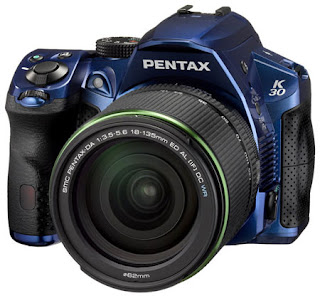
Pentax K-30 DSLR Users Manual (Owners Instruction) - K-30 features a Custom Image function, which allows the user to easily and quickly select the desired finishing touch for a particular image. Choose from 11 custom settings including Bleach Bypass that creates a dramatic visual effect similar to that used in motion pictures, and Cross Process to produce fanciful, eye-catching images boasting dramatic colors. The K-30 also offers a choice of 19 creative digital filters including Miniature, which transforms an actual scene into what appears to be an image of miniature models. These filters add distinctive visual effects to captured images producing creative, artistic images without the need for a computer. The user can further expand the creative possibilities by applying multiple filters and processing modes to a single image. You can Free Download Pentax K-30 DSLR Operating Instruction Guide / Owners Manual / Users Manual (PDF format) below.
 |
| Google Images |
K-30 also offers 19 Scene modes — including Night Scene Portrait, Pet and Backlight Silhouette — to simplify the photographing of subjects and scenes too complicated or too demanding for inexperienced digital SLR photographers, by optimizing all camera settings with a simple choice of the corresponding icon on the camera’s LCD monitor.
K-30s traditional shooting modes feature PENTAX Sensitivity Priority (Sv) and Shutter And Aperture Priority (TAv) for outstanding flexibility, while powerful automatic modes like Auto Picture mode, which automatically selects the most appropriate shooting mode for a given subject or scene from Portrait, Landscape, Macro and other distinctive shooting modes. The photographer can concentrate on image composition and shutter opportunity, while leaving all other camera settings to the K-30, including shutter speed, aperture, white balance, saturation, contrast and sharpness.
Key Features of Pentax K-30:
- 16.3MP APS-C CMOS Sensor
- weather-resistant, dustproof and coldproof design
- Shake Reduction mechanism with user-assisting functions
- Optical finder with nearly 100% field of view
- Newly developed SAFOX IXi+ AF module for improved autofocus performance
- 77 segment metering system
- 6 fps continuous shooting
- ISO up to 25600
- 920K dots 3-inch LCD screen
- Live View focus peaking
- Full 1080p HD video capture at 30 fps
- Programmable front and rear e-dials
- Traditional, Auto Picture and Scene modes
- In-camera HDR shooting modes
- Powered by Rechargeable Li-Ion or AA battery s (via optional D-BH109 AA battery holder)
Friday, April 5, 2013
Sony Xperia V Manual Guide PDF
Sony Xperia V user manual guide free pdf download instruction book online operating Setting Troubleshooting Support Sony - Sony Xperia V is a powerful Android smartphone that has advantages in the resistance against extreme terrain, in a nutshell this is the phone the adventurous wild
This model comes with a 4.3 inch (720 x 1280 pixels), which is claimed to be sharp and good quality. For processor MSM8960 chipset Xperia V mengusungSnapdragon S4, with 1.5GHz dual-core CPU and GPU Adreno 225. Memory capacity 1GB RAM, 8GB of internal memory (1.2 GB firmware, 2 GB memory and 3.7 GB for media) as well as a microSD memory card support has been provided.
 |
| Google Images |
Another feature of the Xperia V 1750 mAh battery, micro-SIM, NFC, MHL, and has been certified Playstation. Later, Sony Xperia LT25 V reported to be available in 2 versions, the version of LTE (LT25i) and HSPA + (LT25h). Meanwhile, the color choices are reportedly black, white and pink.
[Download Sony Xperia V User manual or user guide]
Samsung Galaxy S Advance GT I9070 User Guide
Samsung Galaxy S Advance Manual - Download GT-I9070 User Guide - The Samsung Galaxy S Advance manual or user guide currently obtainable for transfer in PDF format. The Samsung Galaxy S Advance manual is guide ebook that contain several reference info and instruction to control this phone properly and safely. The Samsung Galaxy S Advance GT-I9070 user guide has a hundred sixty five, 5.81 MB and support in West Germanic. within the Samsung Galaxy S Advance user manual, youll be able to realize info for instance concerning installing the SIM or USIM card and battery, the way to insert a memory card on page 16, learn phone basic operations, phone half summary, mistreatment the touchscreen, lock or unlock the bit screen, customise phone, synchronise information, mistreatment google mail, talk, social hub, mistreatment camera on page 58, videos on page sixty eight, gallery and pic editor on page 72, listening music and FM radio.Further, within the Samsung Galaxy S Advance owner manual conjointly provides detail info like task, memo, voice recorder, maps, latitude, youtube, samsung apps, market, mistreatment bluetooth and wi-fi, allshare, GPS, VPN and laptop connections. alternative info like mistreatment tools like clock, google search, kies air, mini diary, pole star workplace, SIM toolkit, task manager, phone settings guide like decision settings, sound and show, power saving, location and security, privacy and storege, date and time, troubleshooting and a lot of. For table of content as follows:
Table of content for the Samsung Galaxy S Advance GT-I9070 manual / user guide:
- Assembling
- Getting started
- Communication
- Entertainment
- Personal information
- Web
- Connectivity
- Tools
- Settings
- Troubleshooting
- safety Precautions
- Index
Get and download the Samsung Galaxy S Advance manual / user guide here
Apple iPhone 4s User Manual Guide Pdf
Apple iPhone 4s User Manual Guide Pdf - Right on October 4, 2011, Apple launched the fifth-generation iPhone, the iPhone 4S. Formerly many suspect Apple will release the iPhone 5, but in fact Apples 4th generation iPhone only spend more update from the previous version.
Quoted from page teknoup, Thursday (26/4), even so, the iPhone 4S remains the target of the country gadget. In Indonesia since January 27, 2012 then, the iPhone 4S has been officially sold to the market.
When observed in terms of design and appearance, there was no significant difference between the iPhone 4s with the previous generation iPhone 4. Two glass panels coated with a shiny, making this phone still looks luxurious and classy. Similarly, the display technology used, Apple is still using the IPS technology plus Retina Display with a resolution of 960 × 640 pixels making text and images look sharp.
 |
| Google Images |
The presence of the iPhone 4S is also coupled with the latest operating system, the iOS 5, Dual-core processor has a speed of 1GHz that provides super-fast performance. IOS 5 users are also spoiled with the latest features such as Notification Center, Twitter integration, Newsstand, iMessage, iCloud and so on.
Besides the interesting part of this is the presence of the iPhone 4S features Siri, Siri with the two-way we can communicate with the iPhone. Through voice commands, Siri can answer questions, give advice or execute various commands such as setting an alarm, send SMS, make the agenda, and so on.
It is clear, that Apple improve itself on the quality of the camera on the iPhone. When we remember when the iPhone 2 released, 2 megapixel camera quality is presented just like the features seem complementary. Similarly, the next generation of the iPhone 3G, both phones can not even record video.
It was only at the launch of the iPhone 3GS Apple make improvements performance, by installing a 3.2 MP resolution camera. Although not equipped with flash, but the iPhone 3GS can now be used to record video.
Very striking changes occur when the iPhone 4 release, Apple equip two sized 5MP camera and secondary VGA camera. Do not miss all the LED flash to help light the phone.
So anything that happened on the iPhone 4S, Apple again improve the quality of a camera phone is 8 MP! In addition to taking pictures, the camera can also record HD 1080 p quality video at 30 frames per second.
Optics designed higher, in order to produce an image as possible. There are also intra-red hybrid filter that serves to keep the IR light, which in turn will produce more accurate and uniform colors.
In addition to clean the optical lens quality, the use of the camera is also very easy. Sebba, in iOS 5, you can directly access the camera even when the phone screen is locked.
The hidden features are certainly very useful, the AE / AF Lock (auto exposure / auto focus). This feature allows you to lock specific objects, so that objects in motion despite the results generated image will stay focused.
In addition to taking pictures, you can also do simple editing on the picture to feature built-in. This feature allows you to do the cropping, picture rotation, improve (enhance) to remove red-eye.
Download Here Apple iPhone 4s User Manual Guide Pdf
Subscribe to:
Posts (Atom)